Buyer & tenant
checklist.
Agree what matters before reviewing properties. Use this free checklist to separate essentials, preferences and details still to confirm.
Free CSV worksheet. No account needed.
Ticks here do not submit or create a request.
A clearer brief.
One discussion at a time.
Tick each point as you confirm it with the client.
The CSV downloads blank; ticks do not fill it. Keep names, contact details, identity documents, bank information and private circumstances in your authorised records.
Use a neutral brief reference. Record only what is needed for the property search.
Essentials, preferences
and open questions.
Keep those three parts of the brief distinct.
- Essential
- A requirement the client has agreed. Discuss a change before relaxing it.
- Preferred
- An option to weigh against the other priorities.
- To confirm
- A detail that is still unknown. Leave it open instead of guessing.
A tenant brief, still in progress
For example: a two-bedroom condominium in Petaling Jaya, with a move-in month agreed. The budget is still to confirm; proximity to a preferred route needs discussion.
Confirm the budget and acceptable locations before comparing properties. This is an illustrative brief, not an active request or an available property.
Keep the price basis clear
Separate purchase price from transaction costs, or monthly rent from deposits and other charges. This worksheet does not assess financing eligibility or calculate those costs.
Confirm any change with the client and date the revised brief.
From the agreed brief
to an Agent Pro request.
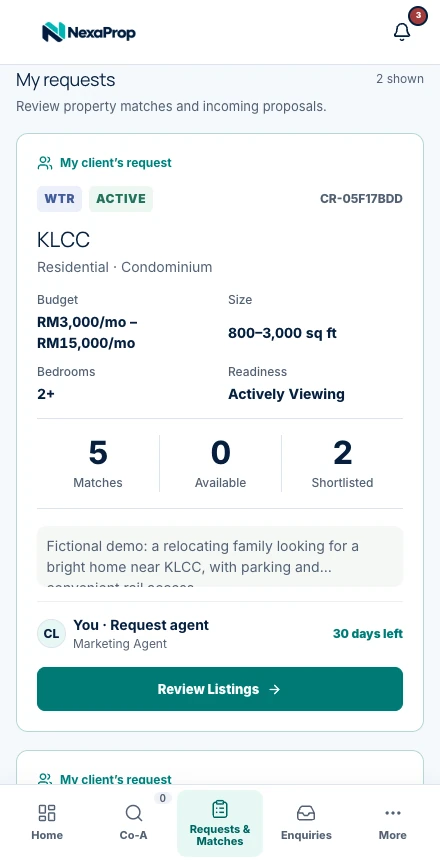
After email setup and administrator approval, enter the supported criteria in Requests & Matches.
The request form supports buy/rent, category and type, areas and buildings, budget and size ranges, bedrooms, furnishing, timeline, readiness and remarks.
See Requests & MatchesTransfer the supported criteria
Use the agreed brief and review the audience. The CSV is a planning worksheet, not an automatic import file.
Review the practical details
Parking, building rules and viewing arrangements need agent review; not every checklist item is a matching filter.
Check and present suitable options
Review permitted results, confirm availability and preview an eligible collection before sharing.
Do I need an account to use the checklist?
No. Read the guide and download the blank CSV without registering. Agent Pro workspace use requires account setup and administrator approval.
Can I upload this CSV to create requests automatically?
This is a planning worksheet, not an import file. Enter the supported criteria in the request form; automatic import is not promised.
Does completing the checklist guarantee a suitable match?
No. Results depend on available permitted records and the criteria supported by the product. Verify each option yourself.
Put your next client brief to work.
Free access through 3 March 2027. Setup and approval required.